
Interactive product demos
Let buyers try your product before the first call.
Capture your app once with our Chrome extension. Prospects click through it from a link or your website.
- No credit card
- Unlimited users
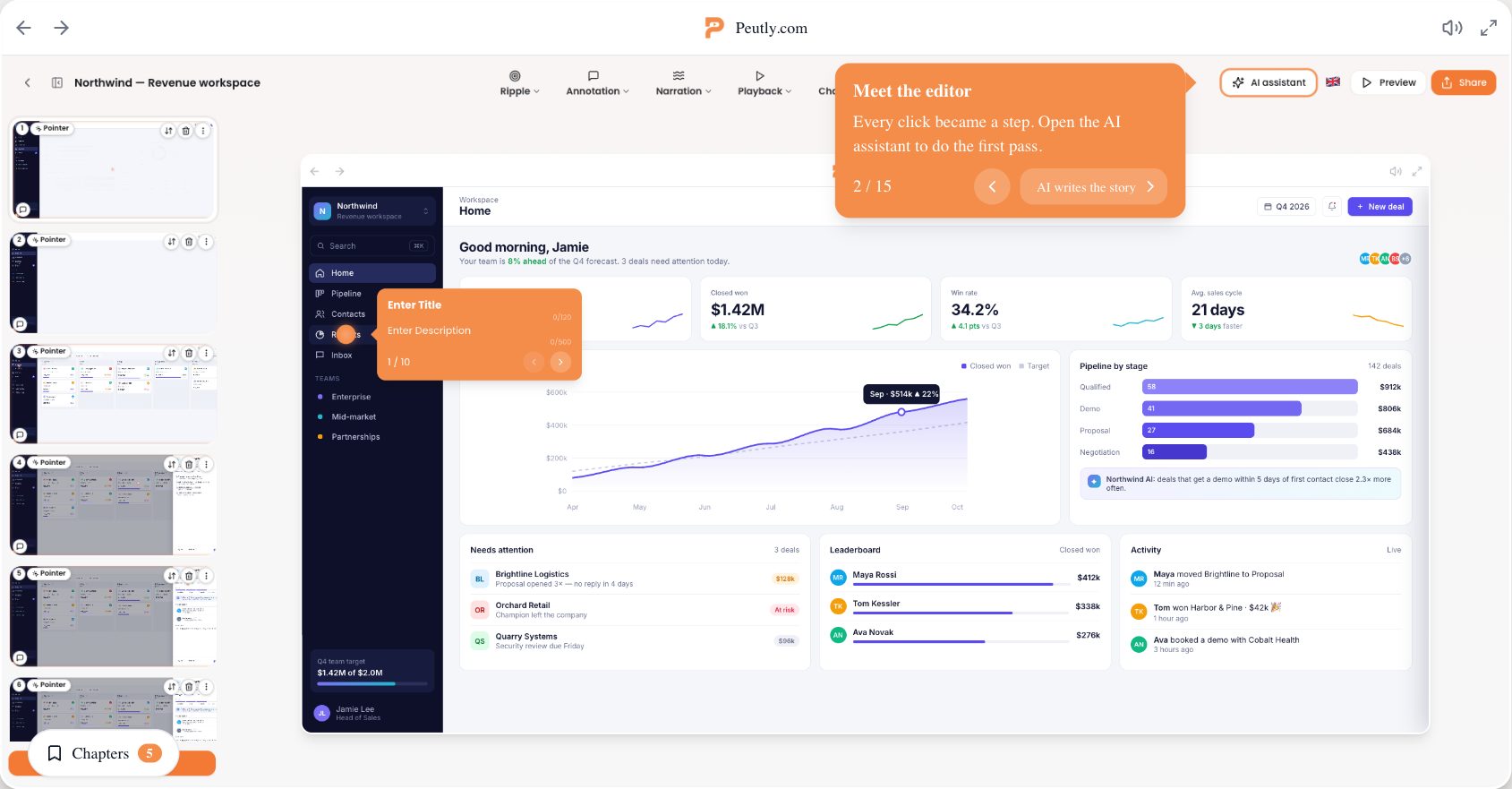
Why teams switch to Peutly
Unlimited seats
Unlimited users on every plan, so marketing, sales and support all build demos.
Edit, do not re-record
Change text, swap a price or remove a screen after capture, without recording again.
Hosted in the EU
The app, file storage and database run in Frankfurt.
See where they stop
Lead forms on every plan. On Pro: step-by-step drop-off, webhooks and GA, Segment or Heap.
Not a video. Your product.
Capture once, edit like a doc, share anywhere, see where they stop. Everything is on Starter unless it's marked Pro.
Record the page, not a picture of it.
The Chrome extension records the page itself. Viewers click through your actual interface, and it stays sharp at any screen size.
Real HTML, not a video
Every click while you record becomes a step viewers click through.
Password fields masked
Passwords are never recorded. Record with demo data, or replace or remove anything else before publishing.
Webcam and microphone
Record yourself explaining a step, or upload a video you already have.
Your UI changed. Your demo didn't break.
A renamed button or a new price is a text edit, not a re-recording. Change it once and every step follows.
Change any text or image
Click a label, number or image inside the captured screen and type the new one.
Find and replace across every step
Type the old word and the new one, and the whole demo updates in one go.
Recapture one screen, not the flow
Capture just the screen that changed and insert it as steps instead of rebuilding the demo.
One demo. Link, embed or video.
Share a link in an email, or drop the embed on your homepage, docs or help centre.
Video and GIF export
MP4, WebM or GIF. Up to 720p on Starter, 1080p on Pro.
Password-protected demosPro
Share early access or deal-specific demos with the right people only.
Your own share domainPro
Serve demos from demos.yourcompany.com instead of ours.
Narrated in 20 languages.
Write the script, pick one of 13 voices in 20 languages, and Peutly narrates the step.
AI voice-over
Type what the step should say; no microphone needed.
AI assistant in the editor
Ask it to tighten copy, translate a demo or suggest chapters. You review every change.
Your data is not training data
Neither we nor our AI providers train models on your demos.
Your first demo in one sitting.
No implementation project and no onboarding call required. The trial runs for 14 days.
- 1
Install the Chrome extension
Create an account and add the extension. No code on your site, no engineering ticket.
- 2
Click through your product
Press record and walk through the flow you want to show. Stop when you are done.
- 3
Edit, publish, measure
Tidy the text, add a form or narration, then share the link or embed it.
See the step where viewers stop.Pro
A demo that nobody measures is a guess. Peutly shows you how far each viewer got, where the group falls away, and who left their details at the step that convinced them.
Drop-off per stepPro
Views, completions and CTA clicks for every step of every demo.
Leads at the right moment
A form at the step where interest peaks. Leads land in Peutly, and on Pro in your inbox too.
Into your own stack
Webhooks and Google Analytics, Segment or Heap, so the data reaches the tools you already use.
One demo, used by every team that talks to customers.
Let visitors try the product before they talk to anyone.
Most B2B sites ask for a meeting before they show a single screen. Buyers who are not ready to talk yet have nothing to look at.
Put the product on the page. Embed a demo on your homepage, pricing page or launch post, and let people click through it on their own time.
Place a lead form at the step where they have seen enough, and see how many of them finish.
- Embed on any page
- Lead forms at any step
- Events into GA4, Segment or Heap
Follow up with the product, not a PDF.
After a first call, the buyer has to sell you internally. They usually do it with a slide deck and their memory of your demo.
Send them the demo instead. A link they can forward, with the exact flow you showed, cleaned of test data.
Then see how often it was opened and how far viewers got.
- Shareable links
- Password protection on Pro
- Per-step engagement
Answer "how do I" once, with the real screens.
The same questions come in every week, and the help article screenshots are two releases old.
Record the flow once and keep it current. When the interface changes, edit the text in the demo rather than re-shooting every screenshot.
Embed it in your help centre or onboarding email, and add narration in the languages your customers speak.
- Embed in help centres
- Editable after capture
- AI voice-over in 20 languages
Resources
Guides and comparisons, with sources.
Book a demo pages: why most of them leak buyers, and what to put there instead
Most "request a demo" pages ask for details before showing anything. What a book-a-demo page must do, where it loses people, and how an interactive demo helps.
ComparisonDemostack vs Reprise vs Walnut: three enterprise demo platforms, compared honestly
Demostack, Reprise and Walnut build demo environments for sales teams. How they differ, what each publishes about pricing, and when a lighter tool fits better.
ComparisonArcade alternatives in 2026: six tools compared on seats and ceilings
Arcade Growth caps at 10 users and puts custom domains, SSO and API on Enterprise. Five alternatives compared on published pricing, seats and gates.
Trust
Built in the EU. Run by its founders.
A small, founder-run team in the Netherlands. You talk to the people who build Peutly, not a sales team.
More about usHosted in Frankfurt
The app, file storage and database run on AWS and MongoDB Atlas in eu-central-1.
SecurityDPA ready, nothing to sign
Our data processing agreement and every sub-processor, with where it runs.
DPAPasswords never recorded
Password fields are masked during capture. Record with demo data for anything else sensitive.
How capture handles dataNot training data
Neither we nor our AI providers train models on your demos.
Sub-processors
Questions, answered.
Something missing? Email hello@peutly.com and one of the founders replies.
A clickable copy of your product that runs in the browser. Instead of watching a recording, the viewer clicks through the real interface step by step, with your annotations, narration and forms along the way.
Peutly records the page itself as HTML rather than pixels. That means viewers can click through it, it stays sharp at any size, and you can change text, swap images or remove elements after recording without capturing the flow again.
No. You install a Chrome extension, click through your product and edit the result in the browser. Embedding a demo on your site is one snippet, the same as embedding a video.
Starter is $175 a month, or $140 a month billed yearly ($1,680 a year). Pro is $450 a month, or $360 a month billed yearly ($4,320 a year). Both include unlimited users. Enterprise is priced on request. Every plan starts with a 14-day free trial and no credit card.
The Peutly application, file storage and database run in the EU, in Frankfurt. The companies that process data for us, and where, are listed on our sub-processor page.
Yes. On Pro, Peutly shows how many viewers reach each step, complete the demo and click your call to action, and it can send leads and events to your own tools through webhooks or Google Analytics, Segment and Heap.
Because Peutly stores each screen as HTML, a lot can be changed after capture without recording again: edit any text, labels or prices, run find and replace across every step, and blur, cover or remove elements. You can also reorder and duplicate steps, and insert steps from another demo in your workspace. A screen whose layout has really changed needs a new capture of that part of the flow, which you can then insert as steps instead of rebuilding the whole demo.
A trial asks for an email and some setup before anyone sees the product. A demo on your landing or pricing page reaches the visitors who are not ready to sign up yet, and lets them click through the main flow in a few minutes. Inside your product, a demo can also show trial or entry-plan users what a higher plan unlocks; see the in-app upsell use case at /use-cases/in-app-upsell.
Not natively. There is no HubSpot or Salesforce connector and no Zapier or Make listing. On Pro, Peutly sends a lead.captured webhook (plus demo.engagement, demo.completed and cta.clicked), so you can point it at your own endpoint or at a Zapier or Make catch hook and create the CRM record from there.
Once your subscription ends, your published demo links and embeds stop loading and show a temporarily unavailable message. Before it ends you can export demos as MP4, WebM or GIF video and your leads as CSV. There is no HTML export of a demo. After the subscription ends we delete your content within 30 days of your request, or within 90 days if you do not ask, as set out in our terms.

Put your product in front of buyers today.
Fourteen days free, no credit card. Record your first flow and see how far people get.