
Every release ships with a clickable walkthrough.
Launch day is mostly copy and one screenshot. Add a Peutly demo to the release note and the reader clicks through the new feature in the same scroll. One capture covers the changelog, the blog post, the social posts and the sales email.
Release notes are read for ninety seconds. Then they're gone.
Launch day is a one-shot for attention. A static screenshot in your changelog gets a polite nod. A 30-second video gets autoplayed with the sound off. An interactive Peutly walkthrough, embedded in the same post, lets the reader click through the new feature in real HTML captured from your product. The launch stops being a message and becomes something the reader can use.
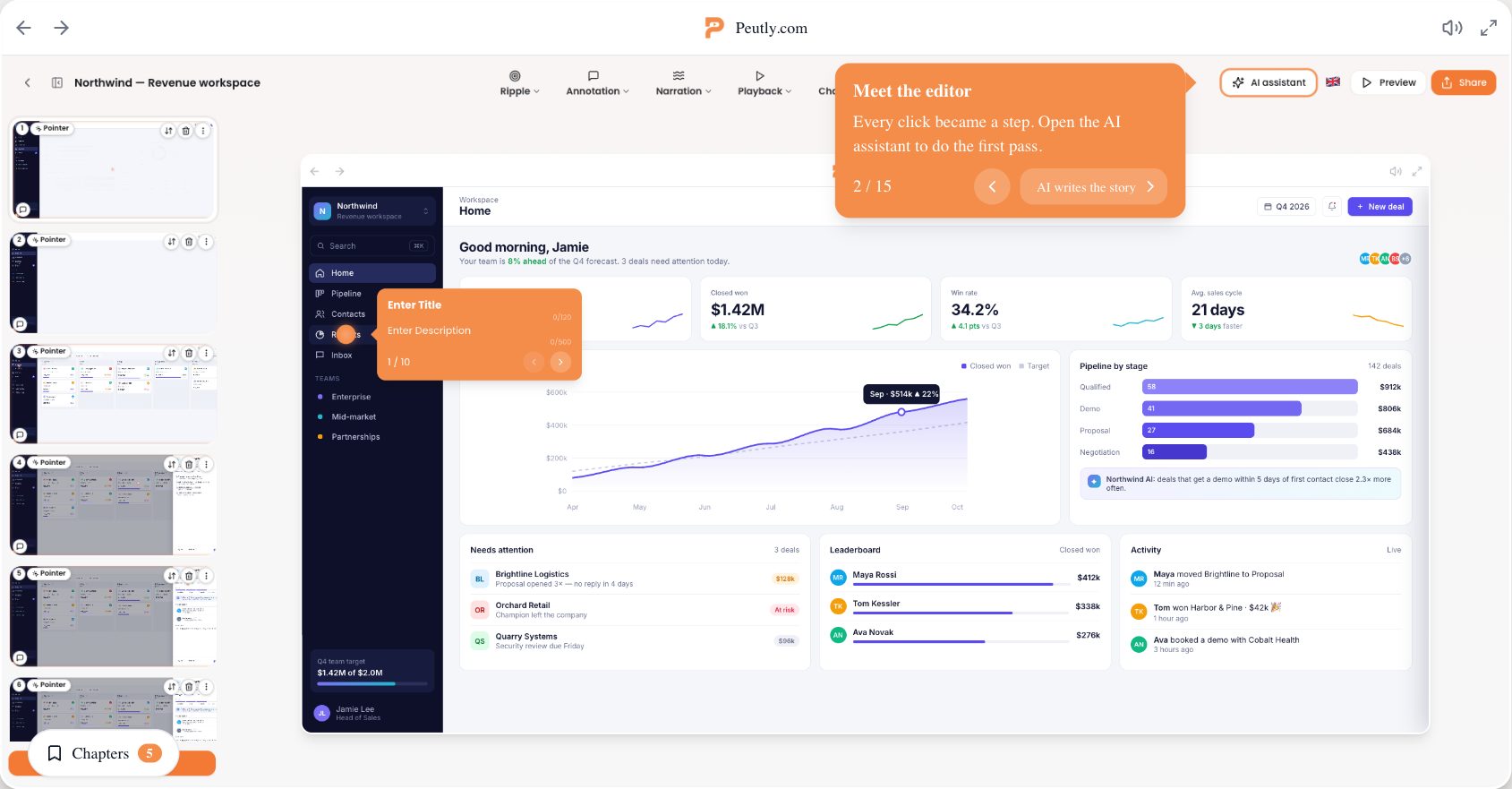
What it looks like in Peutly
One capture, every channel.
One share link, plus an embed snippet for the launch post, and a video file for the channels that want one.
Embeds anywhere
Inline in the page or as a popup over it.
A video file from the same capture
Export GIF, WebM or MP4. 720p on Starter, 1080p on Pro and up.
Narration without a booth.
Write the script, pick one of 13 voices, and Peutly synthesises the audio in 20 languages.
AI voice-over
Or record yourself on webcam or mic.
Chapters per section
Viewers jump between sections from the chapter menu.
What changes with a captured demo
What working from a capture instead of a live environment or a recording changes for this team.
A launch post people can use
Readers try the new feature in the same scroll instead of saving it for later, which means never.
Adoption starts on launch day
Existing customers can walk the feature from the changelog entry rather than hunting for it in the app.
One demo, every channel
Changelog, blog, social, sales email, all pointing at the same capture. Export the same demo as a file for the channels that want one.
Four capabilities you will lean on every week
Each is a first-class feature, not a bullet on a roadmap.
Narration without a booth
Write the script, pick one of 13 voices, and Peutly synthesises the audio in 20 languages. Or record yourself on webcam or mic.
Chapters per section
Title the steps that open a section and viewers jump between them from the chapter menu.
Embeds anywhere
One share link, plus an embed snippet that runs inline in the page or as a popup over it.
A video file from the same capture
Export GIF, WebM or MP4 for the channels that want a file. 720p on Starter, 1080p on Pro and up.
A typical workflow
The four steps customers walk through to stand this up.
Capture during dogfooding
Walk the new feature flow once with the Chrome extension during your internal test week. Five minutes.
Write the narration
Type the script per step and pick a voice, or record your own. Then title the steps that open a chapter.
Distribute everywhere
Embed it in the changelog, drop the share link into the launch posts, attach the exported MP4 to the sales email.
See where readers stop
Per-step drop-off names the step that lost them. Rewrite it and republish. Analytics are on Pro and up.
Click through a real Peutly demo
Built and published with Peutly. Click through it the way your viewers would.

Ship the walkthrough with the release note.
Capture it once during dogfooding, publish it everywhere on launch day. Free for 14 days.