
New users hit aha-moments in minutes, not weeks.
Most onboarding is a help-doc graveyard. Replace it with an interactive Peutly tour: the real HTML captured from your own product, with chapters people can jump between and narration on the steps that need it. Per-step drop-off tells you where they stopped. What survives a release.
Static documentation is where activation goes to die.
New users don't read help docs. They click around until they hit friction, then they file a ticket, or worse, churn. A Peutly tour walks them through the real product instead. Every click you recorded becomes a step, and every step you give a title becomes a chapter a viewer can jump to from a menu. When the tour answers the question, the ticket never gets filed. Per-step drop-off shows you the step that lost them, so you know what to rewrite.
What it looks like in Peutly
A tour that keeps up with releases.
A renamed label is a text edit, not a re-recording.
Find and replace
A changed name or label updates on every step in one go.
Chapters, not one long path
Viewers open the chapter menu and jump to the part they need.
Narration in 20 languages.
Write the script, pick one of 13 voices, and Peutly synthesises the audio.
AI voice-over
Or record yourself on webcam or mic.
In-app or standalone
Embed the tour in your app, or send the share link in an onboarding email.
What changes with a captured demo
What working from a capture instead of a live environment or a recording changes for this team.
Users reach first value sooner
A tour through the real product beats a wall of help docs. The viewer clicks through it instead of reading about it.
Fewer tickets in week one
When the tour answers the question, the support ticket never gets filed.
You can see where they stopped
Per-step drop-off names the step that lost the user. Rewrite that step and republish. Analytics are on Pro and up.
One tour, several entry points
Chapters let an admin jump straight to setup and an end-user jump to day-one tasks. Same tour, one link.
Four capabilities you will lean on every week
Each is a first-class feature, not a bullet on a roadmap.
Chapters, not one long path
Give a step a title and it becomes a chapter. Viewers open the chapter menu and jump to the part they need.
Narration in 20 languages
Write the script, pick one of 13 voices, and Peutly synthesises the audio. Or record yourself on webcam or mic.
In-app or standalone
Embed the tour in your app, inline or as a popup, or send the share link in an onboarding email.
Per-step drop-off
See how far each viewer got and which step ended the session. Analytics are on Pro and up.
A typical workflow
The four steps customers walk through to stand this up.
Capture the activation flow
Walk the path your most successful new users take, once, with the Chrome extension. Every click becomes a step.
Add chapters
Title the steps that open a new section. Those titles become the chapter menu viewers navigate with.
Embed at signup
Drop the embed snippet into your onboarding modal, or send the share link in the welcome email.
Fix the step that stalls people
Check per-step drop-off, rewrite the text inside the captured UI, republish. After a release, edit changed copy in place and capture again only the screens whose layout changed. The editor is desktop only.
Click through a real Peutly demo
Built and published with Peutly. Click through it the way your viewers would.
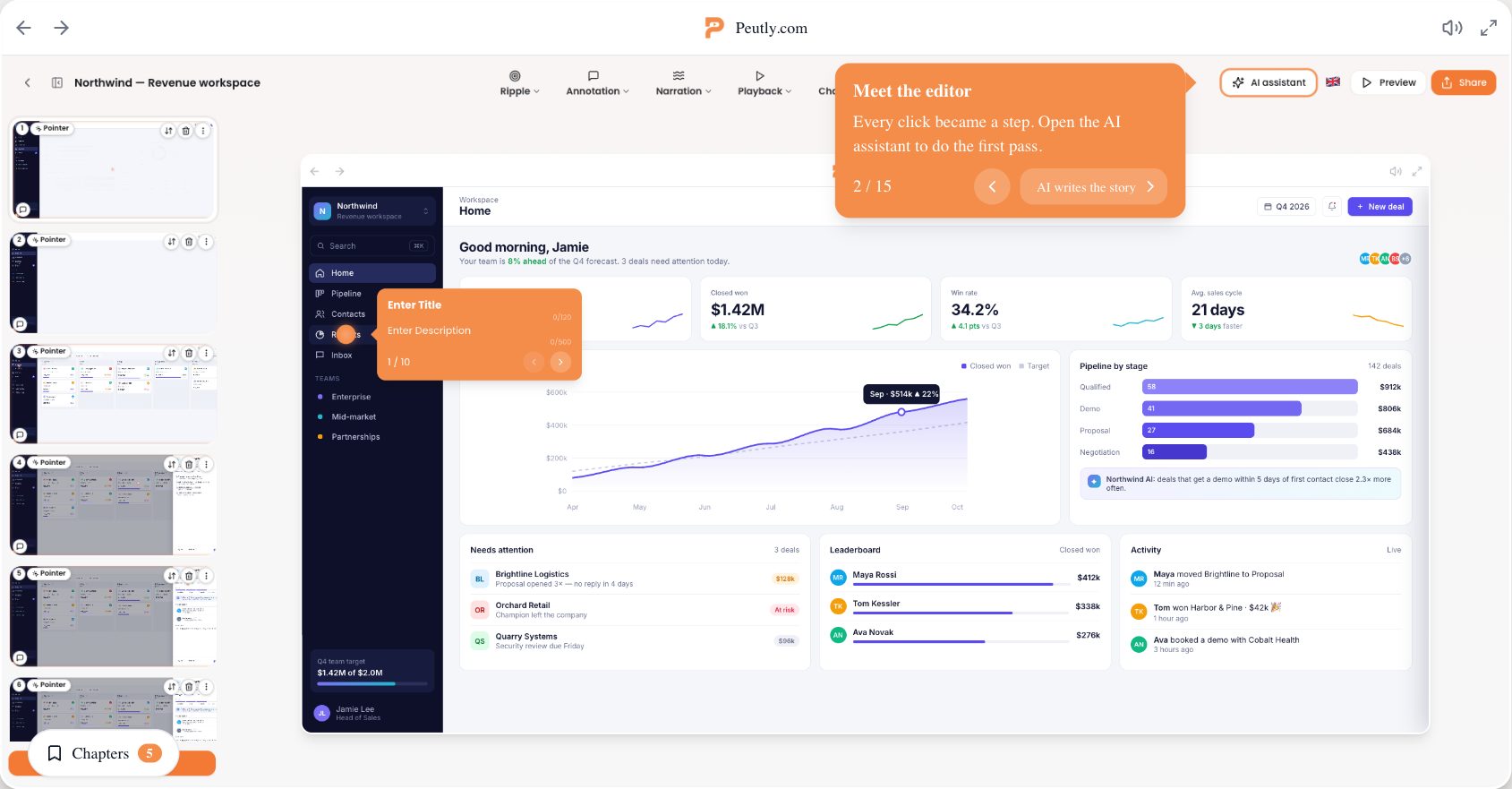

Onboarding you can rewrite in an afternoon.
Edit the text inside the captured UI and republish. When the layout of a screen changes, capture that screen again and swap it in. Free for 14 days.