
Features
Everything you need to capture, edit, share and measure interactive demos.
No more screenshots that go stale, no more staging-environment heroics, no more 'can engineering rebuild this for next week's launch?' Peutly is the entire demo workflow in one place.
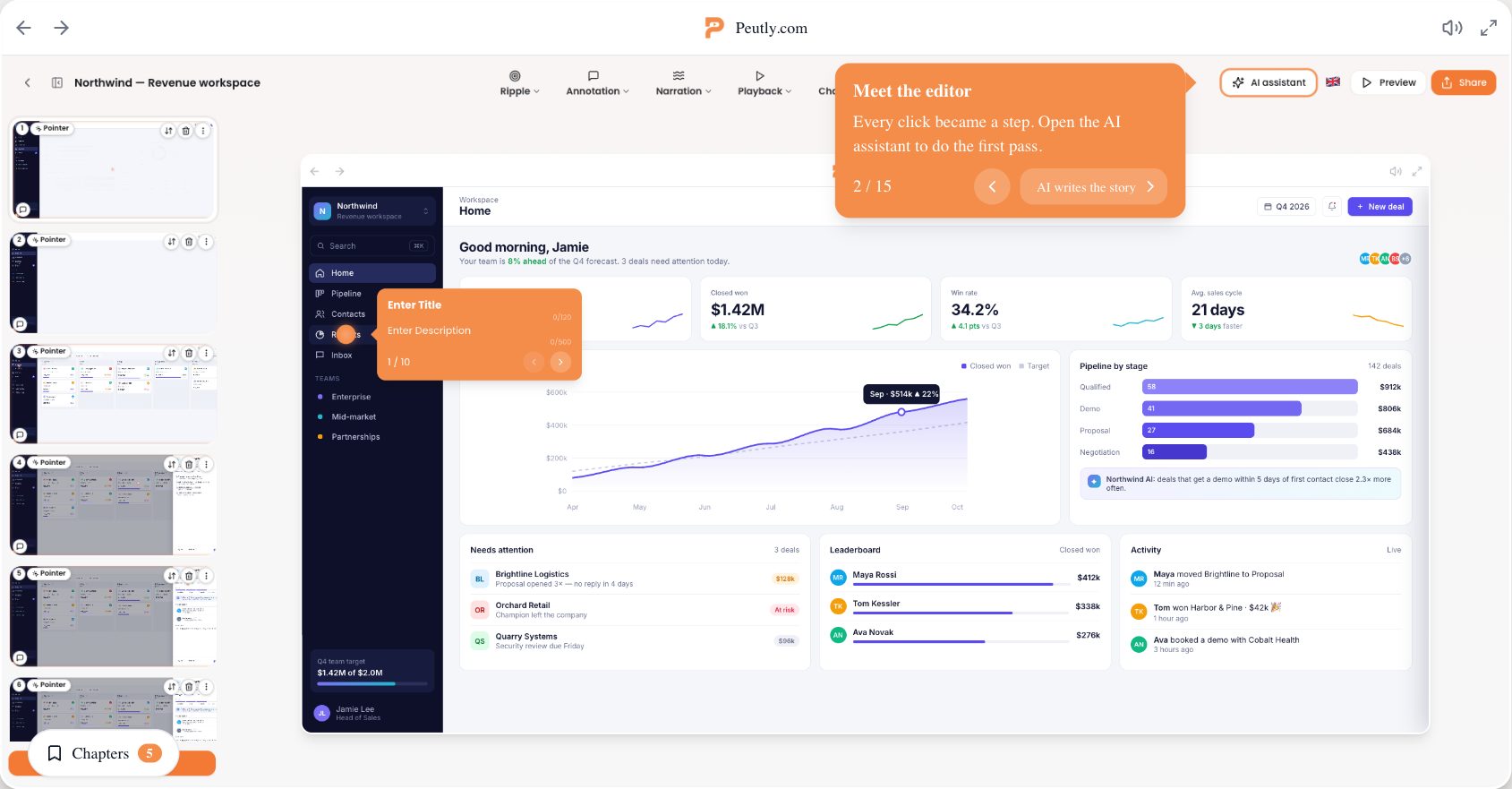
The whole workflow, in one place.
Capture once, edit in the browser, publish everywhere, and see what happened.
A Chrome extension records the DOM of your real product. Every click becomes a step, and it stays interactive and sharp at any size.
Click any element to change its copy or image, or blur, hide or remove it. The recording stays pixel-perfect because it is real HTML, not a video.
See which step loses viewers, labelled by chapter, and rewrite that step in the editor.
Write the script for a step, pick one of thirteen voices, and Peutly speaks it.
Get the real product into the demo
Forget recorded video. Peutly captures the actual HTML, CSS, and behavior of your product so the demo stays interactive and sharp at any size. Copy, prices and labels stay editable after capture; a redesigned screen means capturing that part again and swapping those steps in.
One-click capture
A Chrome extension records the DOM of your real product. Every click becomes a step.
Real HTML, not video
Stylesheets, fonts, canvas and cross-origin frames come along, so the replay is a page the viewer clicks.
AI voice-over in 20 languages
Write the script for a step, pick one of thirteen voices, and Peutly speaks it.
Blur, hide and replace
Password fields are masked at capture. Everything else you clean up in the editor, afterwards.
Change anything, no engineer required
Edit copy, swap logos, restyle buttons, reorder steps, all inside your browser. The recording stays pixel-perfect because it's real HTML, not a video.
Point-and-click edits
Click any element to change its copy or image, or blur, hide or remove it.
Chapters
Give a step a title and it becomes a chapter viewers can jump to from a menu.
Find and replace across the replay
Rename a product or a customer everywhere in one pass, across every step.
One shared workspace
Your PMM and your SE work on the same demos, with unlimited users on every plan.
Ship to every channel from one demo
One source of truth, dozens of surfaces. Embed the same demo on your homepage, drop it into a sales email, paste it into Slack, or hand off a leave-behind link, all updated when you edit the original.
Custom domain & embeds
Host on demo.yourcompany.com, or embed inline or as a popup on your own site.
GIF, WebM and MP4 export
For folks who insist on video. Rendered from the same capture, in your theme.
Outgoing webhooks
Four events posted to your endpoint, with retries and a delivery log.
Password & domain gating
Password-protect a demo, restrict it to your organisation, or allowlist embed domains.
See exactly where buyers drop off
Per-step drop-off, lead capture at any point in the flow, and a webhook out to whatever you run. Stop guessing which step killed the deal.
Per-step drop-off
See which step loses viewers, labelled by chapter, and rewrite the copy in the editor.
Lead forms at any step
Gate step three, not just the end card. Repeat submits in a session are deduped.
Events out to your stack
Your own GA4, Segment or Heap key in the player, plus webhooks to your endpoint.
Identified viewers
Viewers who submit a form are rolled up across sessions. Everyone else stays anonymous.
What survives a release
A Peutly demo is a capture of your product at one moment, so it does not update itself when you ship. Most changes are edits in the editor. Only screens whose layout changed need capturing again, and only those steps.
| What changed in your product | What you do in Peutly | Capture again? |
|---|---|---|
| Copy, labels, prices or a logo on a screen | Click the element in the editor and change its text or swap its image. | No |
| The same word on many screens, such as a renamed product or plan | Find and replace runs across every step of the demo in one pass. | No |
| Data that should not be on screen: names, emails, numbers | Blur, hide or remove the element in the editor. | No |
| A new field, button or modal on one screen | Capture just that screen as a short new demo, insert its steps into the existing demo with Insert step, From another demo, and delete the old step. The rest of the demo and its edits stay as they are. | That step |
| A redesigned page or a reworked flow | Capture the changed part of the flow and swap those steps in the same way, up to 50 steps per insert. If most screens changed, recording the demo again is faster. | That part |

Capture your first demo this afternoon.
Install the extension, walk a flow once, and edit it into a clickable narrated demo the same afternoon.