
Help articles that show the product, not last quarter's screenshot of it.
If your demos are more help centre than marketing, you are probably paying for a sales tool to do a support job. Peutly captures the real HTML of a flow, so the walkthrough in your article is clickable, the text inside it stays editable, and every writer on the support team can work on it without buying another seat.
Every UI release quietly breaks the help center.
A help article is usually a column of screenshots with arrows drawn on them. The product ships a renamed button, a moved menu or a new colour, and every screenshot of it is now wrong. Nobody gets told, so the article stays wrong until a customer files a ticket about it. Peutly records the page itself rather than a picture of it. When a label changes you fix the text inside the captured UI, or run find and replace across every step, and republish. When a whole screen changes, you record that part again and drop the new steps into the existing walkthrough, instead of retaking every screenshot in the article.
What it looks like in Peutly
Fix it in the editor, not in a new recording.
Replace text, swap images, and blur, hide or remove anything sensitive.
Edit after capture
Change any text or image right inside the captured screen.
Blur once
Blur a customer name once and it stays blurred on every step where it appears.
Chapters and a voice in every language.
Pick a language and one of 13 voices for each step.
Chapters readers can jump between
Readers skip straight to the part their question is about.
AI voice-over in 20 languages
Every voice speaks every language.
What changes with a captured demo
What working from a capture instead of a live environment or a recording changes for this team.
Articles that survive a release
Renamed a button? Change the text inside the captured UI. Renamed it everywhere? Find and replace runs across every step of the walkthrough. No new screenshots, no re-uploads.
The whole support team can edit
Every Peutly plan includes unlimited users, so every support writer, CS manager and docs owner gets an account. Nobody has to queue edits behind the one person with a seat.
One walkthrough, every language you support
Type the script for a step and Peutly synthesises the audio in any of 20 languages and 13 voices. For a second language, duplicate the demo and swap the scripts. Or record it yourself on webcam or mic.
Internal training and SOPs too
The Chrome extension records any web page you can open in Chrome, including third-party tools like your CRM or ticketing system. On Pro, an admin can make published demos open only for people signed in to your workspace.
Four capabilities you will lean on every week
Each is a first-class feature, not a bullet on a roadmap.
Embed where the article lives
Paste a small script snippet anywhere your help center accepts custom HTML, inline or as a pop-up. Or link the share URL. We have not tested Intercom or Zendesk Guide yet; where a help center only accepts links, use the share URL.
Chapters readers can jump between
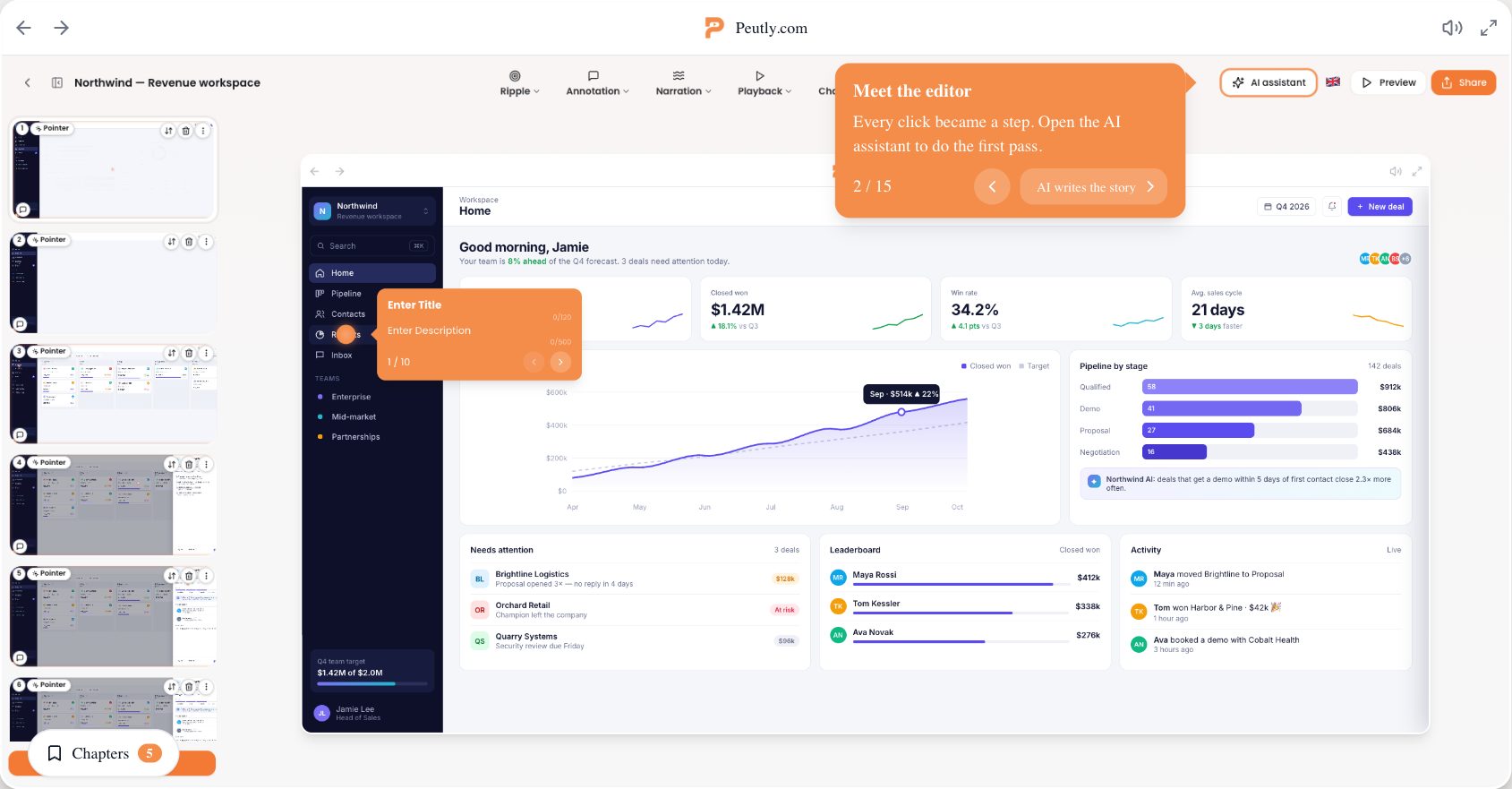
Split a long walkthrough into chapters. Readers open the chapter menu and skip straight to the part their question is about. The AI assistant can suggest chapters for you.
Edit after capture
Replace text, swap images, and blur, hide or remove anything sensitive. Blur a customer name once and it stays blurred on every step where it appears.
AI voice-over in 20 languages
Pick a language and one of 13 voices for each step. Every voice speaks every language, so your English and German walkthroughs can sound alike.
A typical workflow
The four steps customers walk through to stand this up.
Record the task once
Open the flow your article explains and walk it with the Chrome extension. Every click becomes a step. Use a test account: password fields are masked, other typed text is captured as typed.
Tidy it in the editor
Add step text and chapters, fix copy inside the captured UI, and blur anything that should not be in a public article. The editor is desktop only.
Put it in the article
Paste the embed snippet into the article, or link the share URL. For internal SOPs, switch your workspace to organization-only access on Pro.
Update it when the product ships
Small UI changes are a text edit and a republish. When a screen changes outright, record just that part and insert its steps from the new recording into the existing demo.
Click through a real Peutly demo
Built and published with Peutly. Click through it the way your viewers would.

Stop retaking screenshots after every release.
Record the flow once, fix it in the editor when the UI moves, and let every support writer edit. Unlimited users on every plan. Free for 14 days.